About Wireless Access Point
Wireless Access Point
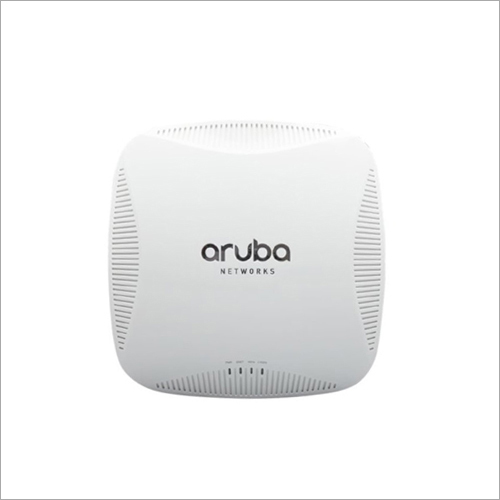
Wireless Access Point is an advanced networking device which is used to make highly reliable network links with other WiFi devices to connect it to the wired systems. This portable device allows the user to extend the coverage of the pre-existing network system that further helps to increase the number of the user sharing the same link. Wireless Access Point helps to transform the wired system into the wireless ones to reduce the hardware elements and minimize the complexity of the system.
Flexible Mounting and InstallationThe wireless access point is engineered for easy installation on walls, ceilings, or simply for desktop use. Its compact design and included mounting options make it suitable for office, retail, or hospitality environments. The RJ45 Ethernet interface ensures quick connectivity, and the internal dual antenna guarantees consistent wireless performance throughout your coverage area.
Robust Security and Easy ManagementAdvanced security features include 64/128/152-bit WEP and the latest WPA/WPA2 (PSK and Enterprise) protocols, helping protect your network from unauthorized access. With a web-based GUI and SNMP support, administrators can monitor and manage the device with minimal effort, ensuring safe and efficient network operation.
FAQs of Wireless Access Point:
Q: How do I install the wireless access point in my office or business location?
A: To install, simply select a suitable location (wall, ceiling, or desktop). Use the provided mounting components if needed. Connect the RJ45 Ethernet port to your network and supply power using the included DC 12V/1A adapter. Configuration can then be accessed via the web-based GUI.
Q: What security protocols does this device support for protecting my wireless network?
A: The access point supports multiple security standards, including 64/128/152-bit WEP, WPA/WPA2, and WPA-PSK/WPA2-PSK, ensuring robust protection for your data and network access.
Q: Where can the device be effectively used given its temperature and humidity tolerances?
A: With an operating temperature range of 0C to 50C and working humidity between 10% and 90% (non-condensing), the access point is suitable for indoor environments such as offices, hotels, and retail spaces across varied climates.
Q: What is the process for managing and monitoring the device?
A: Management is streamlined via a web-based GUI, allowing remote configuration. For advanced monitoring, SNMP support enables integration with network management systems, simplifying oversight for IT personnel.
Q: What are the benefits of using an internal dual antenna design?
A: Internal dual antennas help deliver stable wireless signals and broaden coverage, minimizing dead spots and maintaining a sleek, low-profile aesthetic.
 Send Inquiry




 Send Inquiry


 Send Inquiry


