About Multifunction Canon image RUNNER
Canon's comprehensive portfolio of imageRUNNER ADVANCE multifunction printers and integrated solutions can help simplify the end user experience and management of technology, better control sensitive information and print-related costs, and help ensure that technology investments proactively evolve with changing needs.
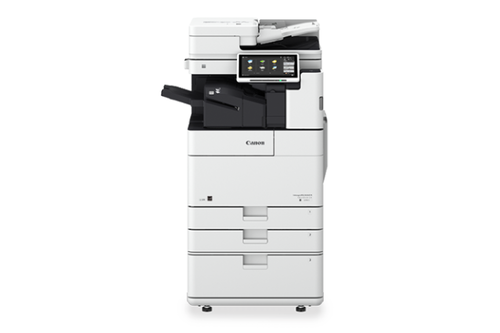
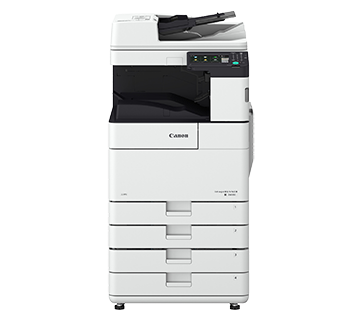
Advanced MultifunctionalityThe Canon imageRUNNER empowers your workspace with printing, copying, scanning, and fax, all seamlessly managed through an intuitive 7-inch color touchscreen. Its multifaceted features cater to fast-paced commercial, institutional, and corporate requirements.
Superior Productivity & PerformanceWith a print speed of up to 45 pages per minute (black) and 35 ppm (color), as well as automatic duplex function, your office reduces manual intervention and saves time. Large dual 550-sheet cassettes and a monthly duty cycle of 150,000 pages make it ideal for high-volume environments.
Secure, Reliable & CompatibleSupport for Windows, Mac, and Linux ensures smooth integration, while secure print, user authentication, and data encryption safeguard sensitive documents. Its robust power supply and efficient processor guarantee stable performance around the clock.
FAQ's of Multifunction Canon image RUNNER:
Q: How do I operate the Canon imageRUNNER's multifunction capabilities?
A: All primary functions, including print, copy, scan, and fax, can be accessed via the 7-inch color touchscreen. Simply select your desired function from the intuitive interface and follow the prompts for efficient workflow management.
Q: What benefits does the automatic duplex feature provide?
A: Automatic duplex (2-sided) printing and copying save paper, reduce costs, and support eco-friendly office operations. It also increases productivity by minimizing manual intervention in double-sided document tasks.
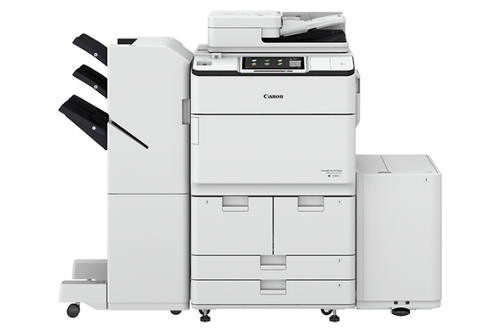
Q: When is it necessary to use the device's finishing options such as stapling or hole punch?
A: Finishing options like stapling and hole punching are ideal when preparing presentations, reports, or organized handouts for meetings and distribution, streamlining post-print processing and enhancing document professionalism.
Q: Where can I use the Canon imageRUNNER printer?
A: Its robust design and commercial-grade features make it suitable for corporate offices, educational institutions, commercial ventures, and more - wherever high-volume, secure document handling is required.
Q: What is the process for ensuring data security on this machine?
A: The device offers advanced user authentication, secure print, and data encryption; users are required to authenticate themselves before accessing sensitive functions, and data is protected throughout processing and storage.
Q: How does the printer handle network integration and compatibility?
A: With built-in ethernet and USB 2.0 interfaces, and support for TCP/IP, IPv4, and IPv6 protocols, the Canon imageRUNNER integrates seamlessly into existing network environments. Drivers are available for Windows, Mac OS, and Linux systems.
Q: What advantage does the large paper capacity offer in daily use?
A: The dual 550-sheet paper cassettes mean fewer interruptions for paper refilling. This is especially beneficial in high-demand environments, helping to keep productivity steady and downtime minimal.
 Send Inquiry




 Send Inquiry


 Send Inquiry


