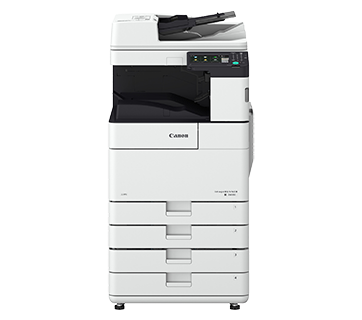
About imageRUNNER ADVANCE DX 6780i
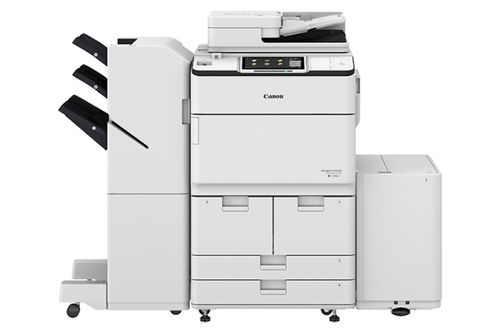
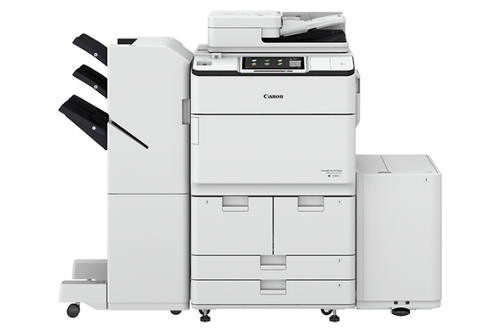
Canon's comprehensive portfolio of imageRUNNER ADVANCE multifunction printers and integrated solutions can help simplify the end user experience and management of technology, better control sensitive information and print-related costs, and help ensure that technology investments proactively evolve with changing needs.Exceptional Speed and ProductivityBenefit from high-speed monochrome printing at 80 pages per minute and fast double-sided scanning at up to 270 ipm. The imageRUNNER ADVANCE DX 6780i is engineered to handle the demands of busy print environments with a large paper capacity of up to 7,700 sheets, reducing downtime and boosting efficiency.
Advanced Security and User ControlKeep your documents protected with robust security features, including user authentication, secure device log-in, data encryption, and secure erase. This comprehensive security suite helps safeguard sensitive information, making the 6780i ideal for organizations with strict data privacy requirements.
Intuitive Touch Panel and CustomizationOperate the device easily via the 10.1-inch color TFT LCD WSVGA touch panel. Its user-friendly interface provides quick access to all major functions, personalized workflows, and cloud connectivity, enabling efficient document management and powerful collaboration opportunities for all users.
FAQ's of imageRUNNER ADVANCE DX 6780i:
Q: How does the imageRUNNER ADVANCE DX 6780i enhance productivity in office environments?
A: The device achieves high productivity by offering fast print speeds up to 80 ppm, automatic duplex printing, and advanced scanning at up to 270 images per minute. Its large paper input capacity and finishing options, such as stapling and booklet creation, streamline complex jobs and minimize interruptions.
Q: What security measures are available on the imageRUNNER ADVANCE DX 6780i?
A: The 6780i is equipped with multiple security features, including user authentication, device log-in controls, data encryption, and secure erase functions, providing comprehensive protection for sensitive documents and ensuring compliance with security policies.
Q: When should I use the optional wireless LAN or finishing accessories?
A: Optional wireless connectivity is ideal for workplaces requiring flexible device placement or mobile printing, while finishing accessories such as hole punch, stapler, and booklet finisher are beneficial for producing professionally finished documents without the need for manual intervention.
Q: What is the process to start printing from power-on?
A: From power-on, the device requires approximately 300 seconds to warm up. Once ready, the first print out can be produced in about 2.7 seconds or less, ensuring quick availability for immediate print tasks.
Q: Where can the imageRUNNER ADVANCE DX 6780i be installed?
A: This multifunction printer is suitable for installation in commercial, enterprise, educational, and government environments. Its robust design and high capacity support both centralized print rooms and large open-plan offices.
Q: How does the device support various media and print needs?
A: It handles a wide range of paper weights (52 to 220 gsm), sizes up to A3, and offers a maximum monthly duty cycle of 300,000 pages. The system is compatible with common print languages, and optional upgrades ensure compatibility with complex workflows.
 Send Inquiry



 Send Inquiry


 Send Inquiry


